
Reviewed · HERCULANEUM TOURS
Campania: Pompei+Herculaneum+Vesuvius audio guide
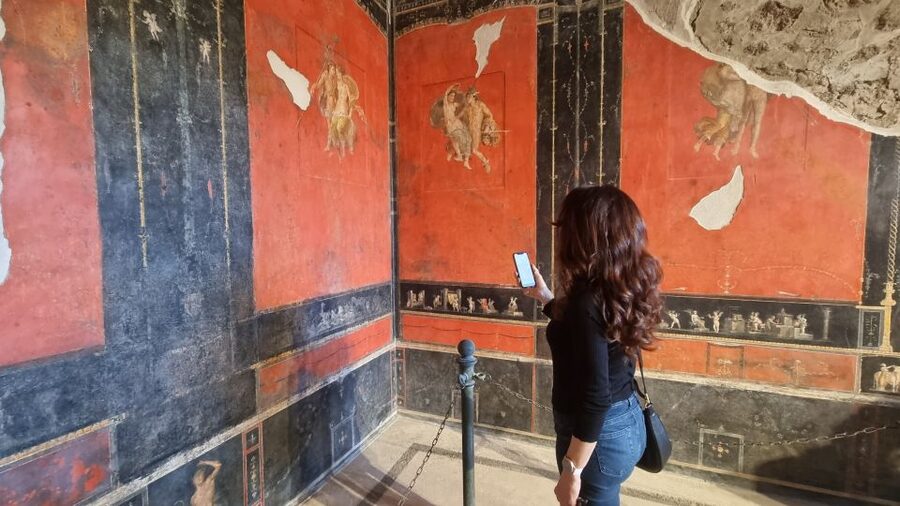
Pompeii and Herculaneum are big, loud places. What makes this experience interesting is that you don’t need a tour group or a guide voice from a speaker. You get geolocated audio guides on your own phone, so the history follows you as you walk.
I especially like the way the guides handle the hardest spots. In Pompeii and Herculaneum, the app breaks massive areas into bite-sized chunks, so you can stay oriented in places like the House of Menander or the House of the Faun and the larger domus circuits. The second thing I like is value: this one bundle is priced low versus buying separate guides, and audio is yours to keep.
One drawback to consider: the app experience depends on your phone. Some people report iOS bugs where audio dialogues reset when you switch apps, and the interface can be confusing in certain rooms or views.
Key things to know before you go

- One bundle, multiple sites: Pompeii, Herculaneum, MANN Naples, Vesuvius, Oplontis (Villa di Poppea), plus Naples city center audio
- Geolocation for outdoor stops: the app helps you reach the right points as you walk
- Big sites are split up: complex areas are divided into sections, not one long stream
- Useful device tips: earphones help, and a power bank can save your day
- WhatsApp support inside the app: you can ask for help if you hit a snag
- Tickets are not included: you’ll still need entry tickets on your own
How this Campania audio guide really works in the field
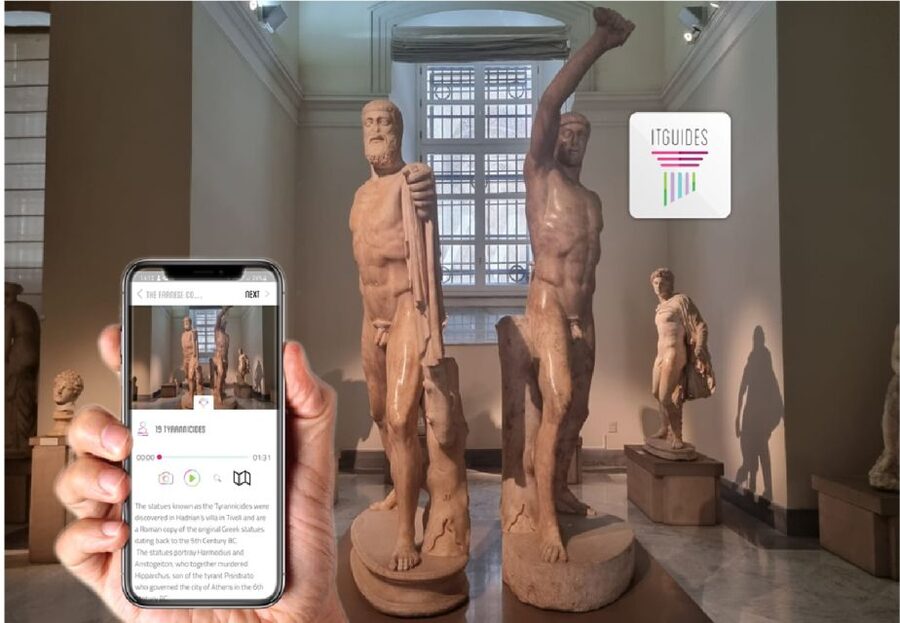
This is a full online product that lives in the ITGUIDES app. After purchase, you can start listening right away, and the guides are yours forever. That matters because Naples and the Bay of Naples are paced by weather and energy. You can listen for 20 minutes, pause, walk, and come back later without feeling “behind.”
The practical trick is preparation. You’ll want to download the audio content before you start, using good cellular signal or Wi-Fi. If you rely on spotty data, the experience can stall at the exact time you’re standing in front of something you want to understand. I also recommend headphones when you can. In museums and busy streets, audio without earphones is just noise plus missed details.
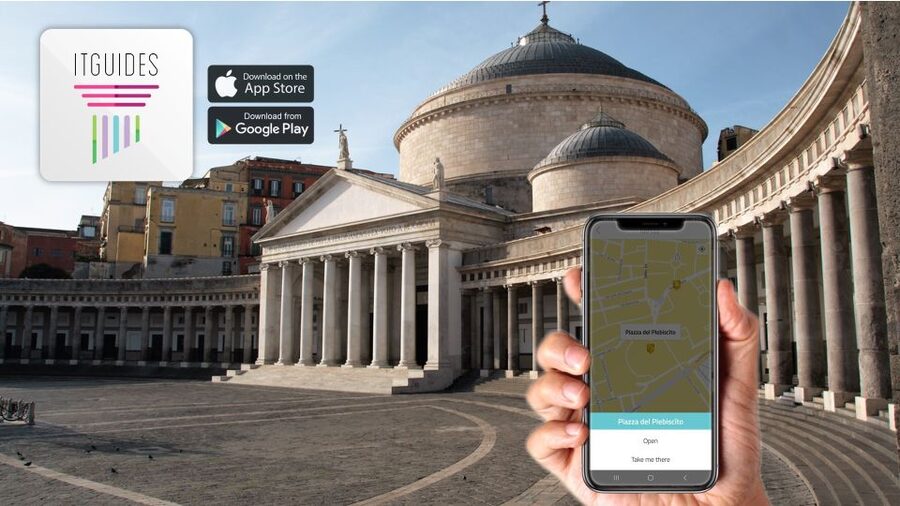
The app also uses maps and geo localization. For outdoor attractions like Vesuvius and the Oplontis area, that’s the difference between wandering and finding. Indoors, it’s more about how clearly each stop is chunked into sections, and some users say the room guidance could be clearer in certain spaces. Still, the structure is designed to keep you tied to what you’re looking at.
Finally, know this setup is self-guided. There’s no meeting point, no bus lineup, and no group pressure. If you prefer to control your pace, that’s where this type of product shines.
More Herculaneum tours in Naples:
- Herculaneum: Skip-the-Line Guided Tour with Archaeologist
★ 4.8 · 3,439 reviews - Herculaneum Small Group Tour and Ticket With an Archaeologist
★ 5.0 · 994 reviews - Herculaneum: Skip-the-Line Entry Ticket with Audio Guide
★ 4.3 · 870 reviews
Pompeii audio: staying oriented in the domus maze
Pompeii is the kind of place that overwhelms people fast. The good news here is that the Pompeii audio guide is built around the reality that you won’t walk every street in a single afternoon. The app splits larger areas into sections, so you don’t end up with a single lecture while you’re trying to figure out where you are.
You’ll get guidance for major zones and larger domus areas, including famous houses such as the House of Menander and other big circuits (including the House of Cervi mentioned in the guide structure). That segmentation is what I call the “don’t get lost” feature. Instead of listening to a long track while you hunt for the next landmark, you get tied to the points of interest you’re actually seeing.
I like the balance of information and trivia style that keeps you from feeling like you’re reading labels for hours. That also helps when you’re tired. Pompeii can be physically draining, and a guide that’s organized into short pieces lets you keep moving without losing the thread.
One practical caution: Pompeii timing is weather-dependent. If you’re doing this in peak summer heat, build in listening breaks. The guide is there to help you understand what you’re looking at, but it can’t cool you down.
Herculaneum ruins: why the audio pacing matters
Herculaneum often feels smaller than Pompeii, yet it can be just as absorbing. The benefit of the ITGUIDES approach is that Herculaneum’s highlights are also split into sections, including the larger house areas that otherwise get confusing.
Think about what you’re facing there: walls, fragments, rooms, and doorways that require interpretation. When the audio guide is chunked, you can listen for a specific feature and then immediately look for it. That keeps your brain engaged instead of passively hearing history while you drift.
The audio guide also supports the idea that your day will be flexible. You can do a “route” in your head, like one cluster of ruins and then a break, rather than trying to see everything. If you love architecture and daily life details, Herculaneum is particularly good for that, and the audio structure helps you notice what makes it different.
A heads up if your phone is glitch-prone: some users report audio resets on iOS when they switch to camera or other apps. If that happens to you, consider keeping your phone in a single mode for photos. Switch after you finish a segment, not in the middle of it.
MANN Naples: museum listening without the fatigue
The Archaeological Museum of Naples, MANN, can be a lot. You walk in thinking you’ll just see a few highlights and then your legs hit a wall. The audio guide helps because it’s organized for museum logic, including big collections and recognizable groupings.
In the guide structure, larger collections are split into sections. That includes major themed areas like the Farnese collection and the Egypt collection. Instead of one massive “museum tour,” you can pick a track that matches your interests and your remaining energy.
This is where I think the audio format beats random wandering. Museums are full of objects, but your attention is limited. Short segments tell you what to look for and why it matters, and you can stop once you’ve learned the essentials you came for.
Also, MANN is the kind of place where earphones help a lot. If you’re in a gallery with other visitors nearby, the audio stays focused and you avoid constantly checking your phone screen. Just remember the iPhone app bug reports: if your audio resets when you jump into maps or camera, you may want to finish a room segment before opening another app.
More ways up Mount Vesuvius:
- From Naples: Pompeii Ruins & Mount Vesuvius Day Tour
★ 4.3 · 11,459 reviews - Naples or Sorrento: Full-Day Pompeii and Mount Vesuvius Tour
★ 4.6 · 4,235 reviews - Pompeii & Mt.Vesuvius Day Tour from Naples with Pizza Lunch
★ 4.0 · 2,901 reviews - Mount Vesuvius: Skip-the-Line Ticket and Smart Digital Guide
★ 4.2 · 2,780 reviews
Vesuvius and Oplontis: using audio for outdoor orientation
Outdoor time around Naples is where geo localization can be a lifesaver. Vesuvius, in particular, is not a museum where everything is labeled in one glance. The audio guide is designed to help you reach points of interest and connect explanations to the view in front of you.
Then there’s Oplontis, also known as the Villa di Poppea (Oplontis). This is an area many people skip, mostly because it’s less “default famous” than Pompeii. The guide includes it, and the value here is that you get context for a site that feels under-visited compared with the big names.
The most practical way to enjoy these stops is to plan them like chapters. Do Vesuvius audio first, then your Oplontis listening while you’re walking the villa area. It turns two separate excursions into one coherent story about the eruption and what was caught by it.
If you’re going to rely on the app while walking outdoors, bring a power bank. Battery anxiety kills the vibe fast when you need both camera and audio.
Naples city center: a guide for your downtime
The bundle also includes audio for Naples city center. This is the smart part if you want more than ruins and museums. It gives you something to listen to while you’re moving between sights, grabbing a coffee, or filling the hours that don’t fit neatly into a strict ticket window.
Because it’s self-guided, you can use the Naples audio as a “choose your own route” tool. Walk a few streets, start the next segment, and stop when your schedule says it’s time to eat. For many people, Naples city center audio is how you keep the trip feeling alive, not just archaeological.
One note: the app can switch or reset depending on how you use your phone. If you’re walking and you need navigation, try to manage app switching so your audio doesn’t cut out at an important point.
Price and value: $11 for a whole Campania pass of audio

At $11 per person, the headline is hard to ignore. The bigger story is what you get for that price. You’re not paying for one site only. You’re buying audio for multiple major stops: Pompeii, Herculaneum, MANN, Vesuvius, Villa di Poppea (Oplontis), and Naples city center.
The bundle is positioned to save more than 50% compared to buying each audio guide separately. That makes sense because the Bay of Naples is a concentration of ticketed attractions. Even if you only visit two or three of the included sites, you’re still likely to come out ahead compared with buying stand-alone recordings later.
But here’s the catch that matters most: tickets are not included. Audio guides are for interpretation and orientation, not entry. So you’ll still need to plan admissions for Pompeii, Herculaneum, MANN, Vesuvius, and Oplontis according to whatever you decide to visit.
If you already know you’re doing multiple stops, this price feels fair. If you’re only doing one small area and spending the rest of the trip elsewhere, you might want to consider whether audio for the full list matches your actual itinerary.
Making the app work smoothly (and avoiding the common pain points)
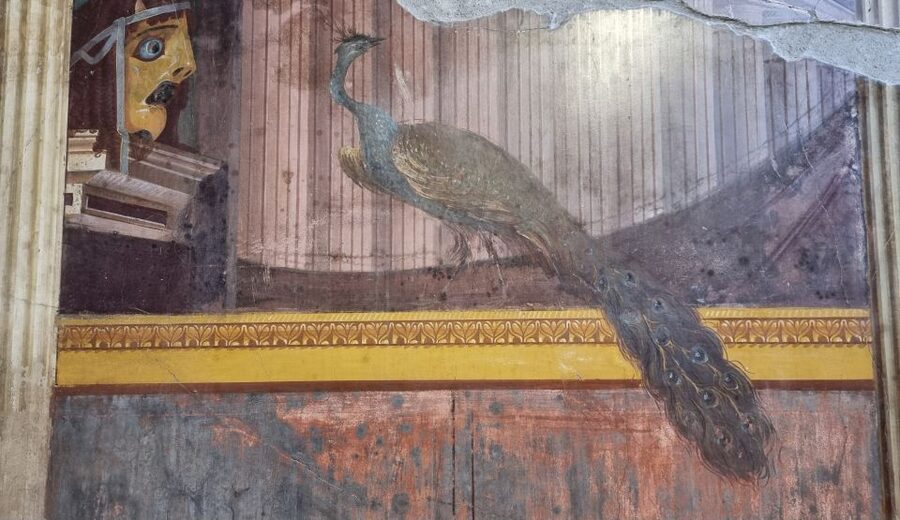
You’re using your own smartphone, which is a big plus because it’s your device, your settings, your battery habits. Still, set yourself up for success.
First: download everything ahead of time. The app says to download contents with a good signal or Wi-Fi. That means you should do the download early in your trip, ideally the day before you hit Pompeii or MANN.
Second: if you can, use earphones. They keep you in control of the volume and reduce distractions. And volume control matters because museums and ruins have variable noise levels.
Third: plan around photo and navigation habits. Some users report iOS app issues where the voice dialogues reset and the selected city or map can change when switching to camera or other apps. That can break your flow at exactly the wrong moment. Try this simple rule: finish a listening segment, then switch for photos and maps.
Fourth: if you run into trouble, there’s WhatsApp support inside the app. That’s useful because you don’t want to hunt for help while you’re standing in a site courtyard with no good signal.
Lastly: there’s a support option at Complesso Monumentale Sant’Anna dei Lombardi, Piazza Monteoliveto, 4, 80134 Napoli NA, Italy, where you can get help and a special discount on ticket for the visit. It’s not a required meeting point, but it’s good to know there’s a real-world fallback if something goes sideways.
Who this Campania audio bundle fits best
This is a strong match if you want independence. No waiting for a group. No rushing because someone else is behind. You control the pace across Pompeii, Herculaneum, Vesuvius, Oplontis, and Naples city center.
It’s also a good fit if you like historical sites but you don’t want “one note” guided talk. The structure is designed to split complex areas into manageable stops, and many people appreciate that the mix is informative without feeling exhausting.
You might want to think twice if you’re relying heavily on iPhone switching between apps during your walk. App bugs have been reported, including audio resetting behavior. You can still work around that with phone discipline, but it’s a consideration.
And if you tend to buy products close to the travel date, double-check your dates before purchase. One issue reported was purchasing for the wrong dates, which wasted money.
Should you book it?
If you’re doing more than one major site in Campania, I’d book it. The low price and the fact that the audio covers Pompeii, Herculaneum, MANN, Vesuvius, Oplontis, and Naples city center make it a smart value move. The guide structure for big domus areas is especially important when you want to understand what you’re seeing without getting lost.
Skip it only if your plans are very narrow or if you know your phone setup tends to struggle with audio apps. In that case, you may prefer a different format. Otherwise, this is a practical way to turn a multi-day Bay of Naples trip into something you can follow step by step, right from your own phone.
FAQ
Is this a guided tour with a meeting point?
No, it is self-guided. There is no meeting point needed.
What locations are included in the audio guides?
The audio guides are for Pompeii, Herculaneum, MANN (Archaeological Museum of Naples), Vesuvius, Villa di Poppea (Oplontis), Naples city center, and geolocated outdoor attractions.
Do tickets cost extra?
Yes. No tickets are included, so you will need to purchase entry tickets separately.
When can I start using the audio guides?
You can start using the audio guides right after purchase.
Do I need a smartphone and what type?
You need an Android or Apple smartphone.
Will the app help me find outdoor points of interest?
Yes. The audio guides are geolocated for outdoor attractions, and the app uses maps and geo localization to help you reach points of interest.
Are the larger sites organized into smaller sections?
Yes. More complex points of interest are split into sections so you can stay linked to what you are watching, including large areas in Pompeii and Herculaneum and major museum collections at MANN.
Is there support if I have trouble with the app?
Yes. For questions or issues using the ITGUIDES app, there is WhatsApp contact provided in the app. You can also get help at Complesso Monumentale Sant’Anna dei Lombardi in Naples.
Is this audio guide wheelchair accessible?
Yes, it is wheelchair accessible.
More Self-guided Routes around Naples
- Pompeii: Skip-the-Line Entry Ticket with Audio Guide or Tour
★ 4.1 · 1,364 reviews - Naples: Pompeii Self Guided Audio Tour
★ 3.9 · 211 reviews - Naples: National Archaeological Museum audio guide
★ 4.0 · 155 reviews - Naples: Royal Palace Entry Ticket with Digital Audio Guide
★ 4.1 · 146 reviews
More Pompeii Tours and Tickets in Naples
- From Naples: Pompeii Skip-the-Line Entry Ticket and Tour
★ 4.4 · 2,753 reviews - Naples: Pompeii & Mt Vesuvius All-Inclusive Small Group w/ Lunch
★ 4.5 · 2,748 reviews - From Naples or Sorrento: Pompei Half-Day Tour
★ 4.4 · 2,645 reviews - From Naples: Pompeii & Amalfi Coast Full-Day Trip with Lunch
★ 4.5 · 2,155 reviews
Recently reviewed around Naples
- DISCOVERING POMPEII – VIP tour/Small group★ 5.0 · 22 reviews
- Discovering Pompeii and Herculaneum – VIP Tour with Lunch★ 4.5 · 54 reviews
- Daytrip from Naples to Amalfi Coast, Positano, Amalfi & Ravello★ 5.0 · 22 reviews
- Cesarine: Dining & Cooking Demo at Local’s Home in Naples★ 4.5 · 16 reviews
- Daytrip from Naples port to Pompei, Sorrento & Positano★ 5.0 · 54 reviews
- Flavors of Naples Decumani Street Food and Sightseeing Tour★ 5.0 · 13 reviews
- Daytrip from Port of Naples to Amalfi Coast, Sorrento & Positano★ 5.0 · 17 reviews
- Private Half-Day Sightseeing Tour of Vesuvius National Park★ 5.0 · 7 reviews
Herculaneum Tours, compared.


Pompeii and Herculaneum Small Group Tour with an Archaeologist
Read our review →
Herculaneum Small Group Tour and Ticket With an Archaeologist
Read our review →

Pompeii & Herculaneum with Archaeologist Guide
Read our review →
Pompeii, Herculaneum, & Vesuvius Full-Day Tour
Read our review →
Ercolano: Herculaneum Entry Ticket with Optional Audio Guide
Read our review →Browse the lists this tour appears in